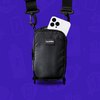


Make every event memorable with a lunchbox pack


Maak elk evenement onvergetelijk met een Lunchbox


0
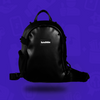
Are you ready to light up the night with your new Dream LED Skin? Check out our super easy guide below and let’s get you set up!
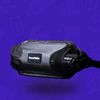
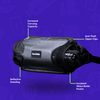
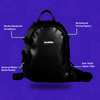
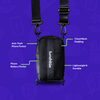
1. Place your lunchbox PowerBox (or other power bank) inside the top compartment of your lunchbox.
2. Plug the power cable into your PowerBox and route the barrel jack end out the small opening at the top of the pack, and down through the loops on the back side of the pack.
3. Connect the barrel jack to the SP107e controller up through the opening at the bottom of the pack where the Dream LED Skin zips onto the pack.
1. Download the ‘LED CHORD’ app (available for iOS and Android)
2. Connect the USB end of the power cable to the Lunchbox PowerBox (or alternative power bank).
3. Open the LED CHORD app and allow the app to connect to your bluetooth.
4. Search for SP107e in Devices and connect. There will be a yellow dot next to the device name upon successful connection.
5. Once connected to the skin, ensure the below settings are selected for optimal use of the skin:
a. GRB
b. WS2811
c. Seg: 44
d. Pixel/Seg: 11
e. Total: 484
6. It is important to change the name of your controller to something personalized, as multiple people may be trying to connect to SP107e when at an event.
a. To change it, long press on the name (SP107E) and rename it.
1. The patterns on your LED skin can be sound reactive, so the patterns are able to match the beat of whatever song is playing.
2. You can choose from 180 patterns as well, from straight lines to wavy curves and everything in between.